Payout methods are the bank accounts or other destinations where Whop sends your earnings.
Payout options
Whop supports payouts to your bank account, mobile wallet, or crypto wallet in over 200 countries. Depending on your country, all eligible payout methods will show up on the modal when you go to withdraw from the Balances page of your Whop dashboard. Different countries are eligible for different payout options.
Standard payouts take up to 5 business days. You can also withdraw your balance through instant payout methods, which take only a few minutes. Instant payouts let you withdraw pending funds from payments that haven’t fully settled in your Whop balance.
Whop may flag some withdrawals for compliance review based on different risk
factors. The Trust & Safety team manually reviews and releases these
withdrawals. When a payout requires review, the Instant payout option doesn’t
appear because the payout won’t be instant.
Add a payout method
- Go to your Dashboard > Balances > Payout methods
- Select Add payout method
- Enter your bank details or connect via the supported flow
- Confirm and set as default if you want new payouts to use it
You can have multiple payout methods and sometimes choose which one to use per payout.
International payouts
Creators outside the United States need to set up a bank account that accepts the currency of their registered country.
On Whop Payments, Whop is the Merchant of Record. The system automatically converts all currencies to the currency of the region you chose when setting up your Whop organization.
- Even if you accept payments in United States dollars, Whop converts those payments to your local currency before sending payouts
- Payouts won’t reach a bank account that accepts United States dollars if the account’s country uses another local currency
You can change the payout country for an existing Whop. To switch payout
countries, navigate to your payouts and select the 3 dots on the top right,
then select Change payout country.
Payouts to a digital wallet
To receive PayPal payouts, customers must buy using PayPal (no post-purchase transfer to PayPal).
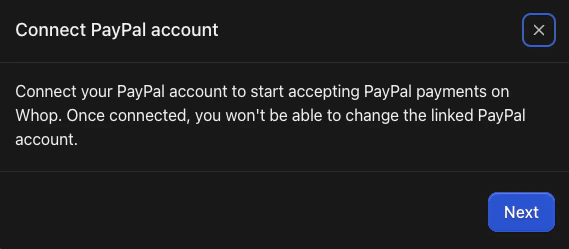
Setting up payouts to your PayPal
- Go to your Dashboard > Balances > Additional payment methods
- Select Setup next to the PayPal option
- Follow the on-screen instructions to link your PayPal account
For PayPal to appear at checkout, check the PayPal box under Payment options
when you create a checkout link.
Coinbase payouts
Important notes:
- Withdrawals must go to a Coinbase wallet
- To receive Coinbase payouts, customers must buy using crypto (no post-purchase transfer to Coinbase)
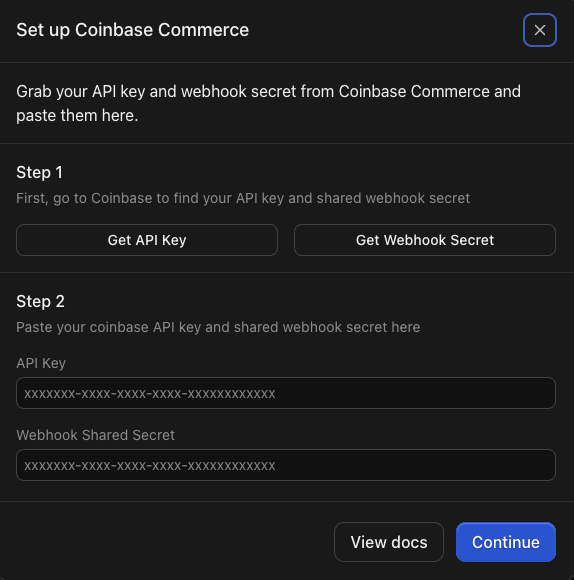
Setting up payouts to your Coinbase crypto wallet
- Go to your Dashboard > Balances > Additional payment methods
- Select Setup next to the Coinbase option
- Follow the on-screen instructions to link your Coinbase Commerce account
- You will need to log into your Coinbase account and copy your API key and Webhook secret to paste into Whop
For Coinbase to appear at checkout: Check the Crypto box under Payment options when you create a checkout link.
To get paid with crypto, you have to set up a one-time pricing plan.